You signed in with another tab or window. Reload to refresh your session.You signed out in another tab or window. Reload to refresh your session.You switched accounts on another tab or window. Reload to refresh your session.Dismiss alert
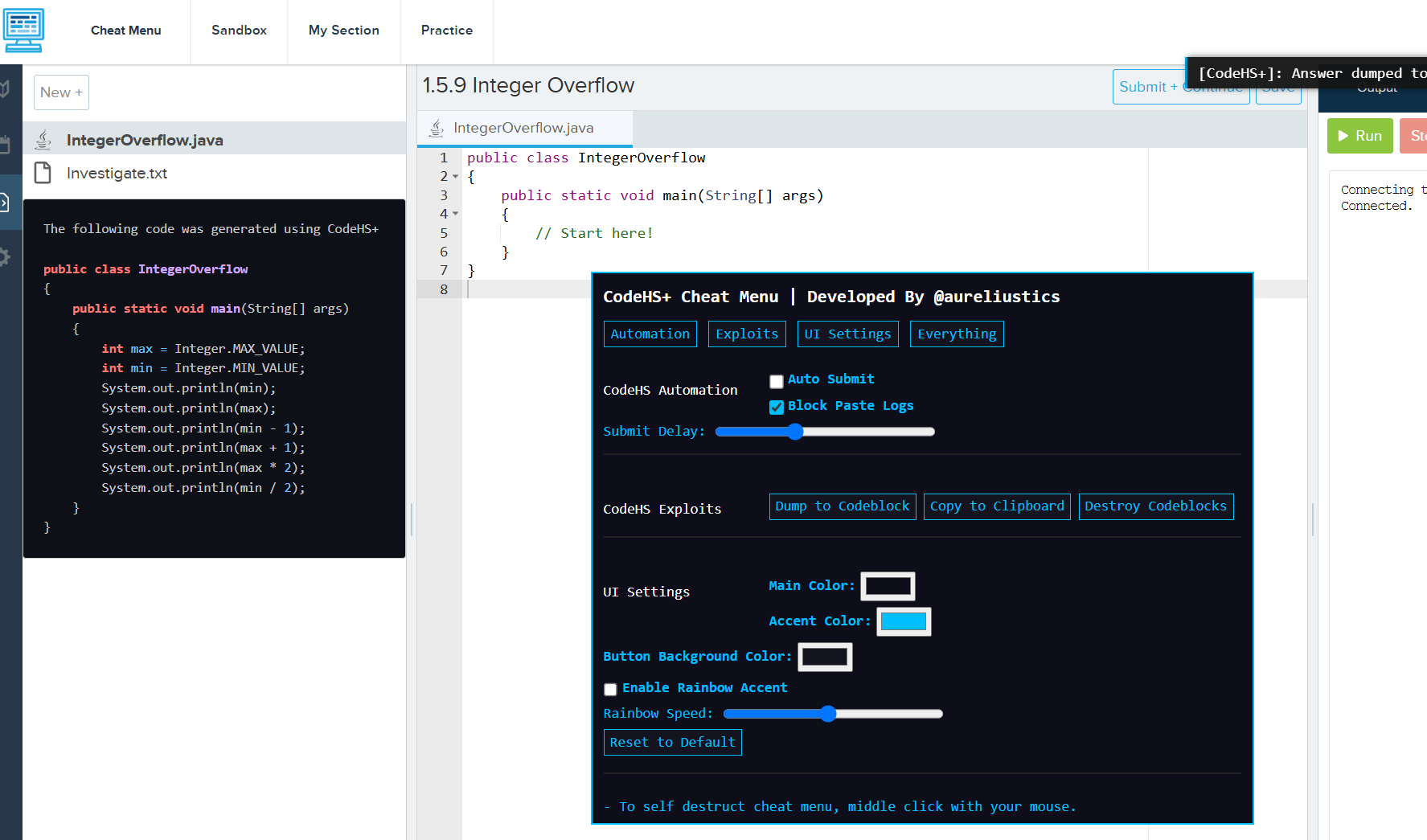
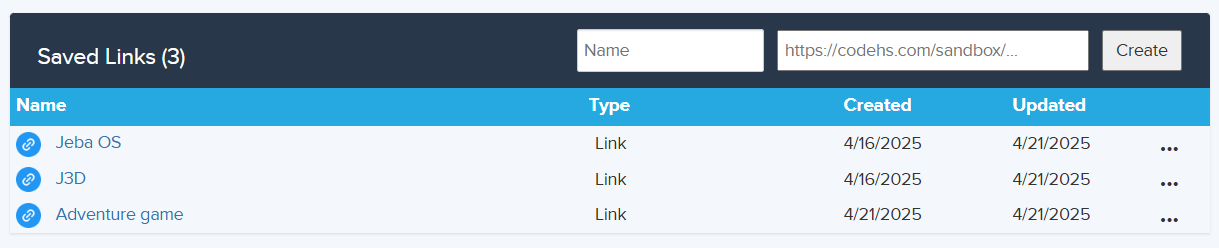
Adds general utility and quality of life to CodeHS. Currently the only features are saving sandbox links to collaborate on CodeHS easier, showing assignment answers in a codeblock or copying to clipboard, some color customization to the cheat menu, displaying the amount of time you spent in a sandbox. The cheat menu is built with stealth in mind. There is a self destruct button (middle click to activate) to destroy cheat menu and codeblock. This makes it harder to get caught by teachers. If you like this repository, a star would be greatly appreciated, thank you.
Installation
Method 1: Lazy
If you just want to cheat on your assignments without installing anything:
Copy the cheat menu script here, control + A then control + C on your keyboard
Go to your CodeHS assignment and right click, click inspect then navigate to the "Console" at the top of inspect element
Type "allow pasting" into the console then press enter
Control + V to paste the cheat menu script then enter and you should have the cheat
The only caveat with this installion method is you have to keep pasting the script into the console for every assignment or refresh, so its better to do method 2.
Method 2: Proper
You need the Tampermonkey extension for the cheat menu and misc CodeHS+ features to load automatically.
Create, rename, delete, or copy link for sandboxes you save.
When doing an assignment, you should see a new button next to the CodeHS logo on the top left.
It is called "Cheat Menu". Clicking on it will toggle the menu
When are you in a sandbox, it will display the amount of time you have spent inside of it in real time. This does save and sync across tabs.
Known Bugs
If either the Cheat menu or saved links UI is not showing up, refresh the page. This usually happens because Tampermonkey doesn't reinject upon subdomain changes.
You might notice some buttons and text be affected by the CSS in the cheat menu aka they will have the same color. It's an easy fix but it isn't super severe so I might just leave it for now.
Edit: Fixed
Disclaimer
I am not responsible if you get caught using the cheat option aswell as any damages that may occur during usage. CodeHS has anticheating measures in place, and I cannot promise that the cheat is undetected.
Below is a dumped result of CodeHS's anticheat flags so you can understand how to circumvent it:
CheatFlagType: {CHEAT_TOOL_DETECTED: 6,CHOICES: [[0,"None"],[1,"Not Enough Time Spent"],[2,"Insufficent History"],[3,"Copy and Pasted"],[4,"Similarity to Solution"],[5,"Similarity to Student"],[6,"Cheat Tool Detected"]],COPY_AND_PASTED: 3,INSUFFICENT_HISTORY: 2,NONE: 0,NOT_ENOUGH_TIME_SPENT: 1,SIMILARITY_TO_SOLUTION: 4,SIMILARITY_TO_STUDENT: 5,STRINGS: {0: "None",1: "Not Enough Time Spent",2: "Insufficent History",3: "Copy and Pasted",4: "Similarity to Solution",5: "Similarity to Student",6: "Cheat Tool Detected"}}
Make sure you aren't just copy pasting the answer into your IDE. Instead manually type out the answer with different variable names, function names, and running the code frequently to have code history. I might implement some anticheat bypasses in the future but for now, stay vigilant when using the cheat.
If you are trying to get answers to a quiz, the cheat menu will currently not do that for you. If you want CodeHS quiz answers refer to these repositories: python, javascript, java. Or just copy and paste the question into Google.
About
Decrypt answers for any assignment and save collaboration links in codehs.com. Made this to skip doing easy/boring assignments in my computer programming 11 class.