Quick Start Guide
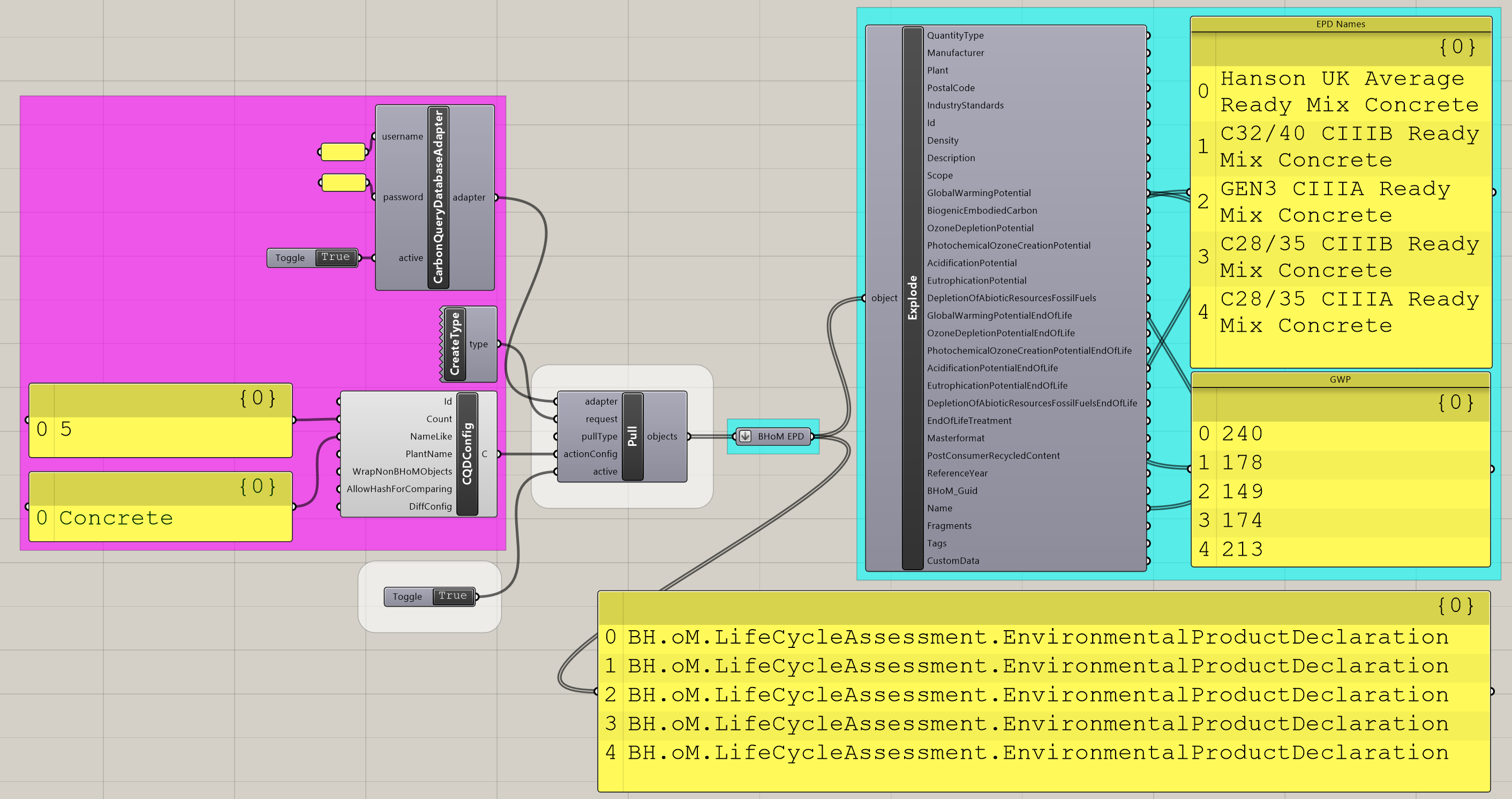
Pulling elements from Carbon Query Database to BHoM means extracting them from the CQD Database combined with converting them to BHoM EnvironmentalProductDeclaration Objects. In order to perform that action, the Adapter needs to be set up to access the CQD Database with user credentials. A pull request can then be given to the Adapter to pull the desired EnvironmentalProductDeclaration types. An optional CQD ActionConfig can also be used to search for specific elements in the CQD Database by id, name, or other parameters. Each of these steps is explored in greater detail below.
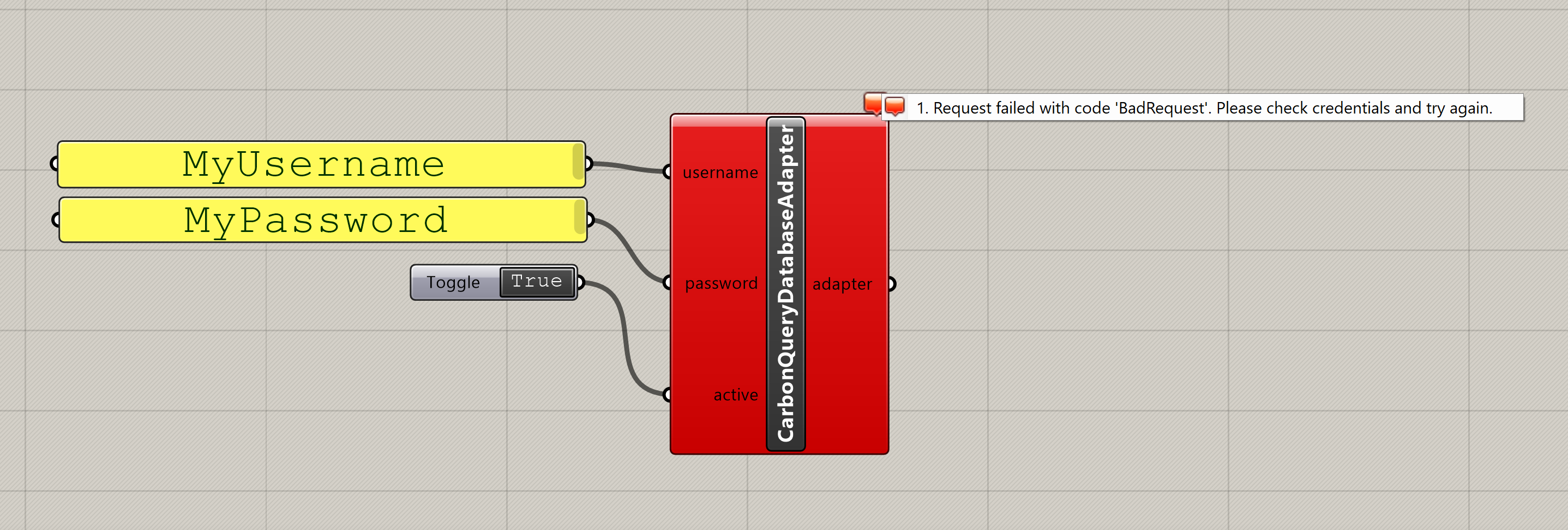
In order to access the Carbon Query Database, user credentials for EC3 are required. These are the same credentials used to sign in to https://www.buildingtransparency.org/. Enter these credentials into the CQD Adapter component as shown below. If your credentials are not recognized you will see the error shown below. If you have enetered valid credentials the component will be gray, and you can proceed to the next step.
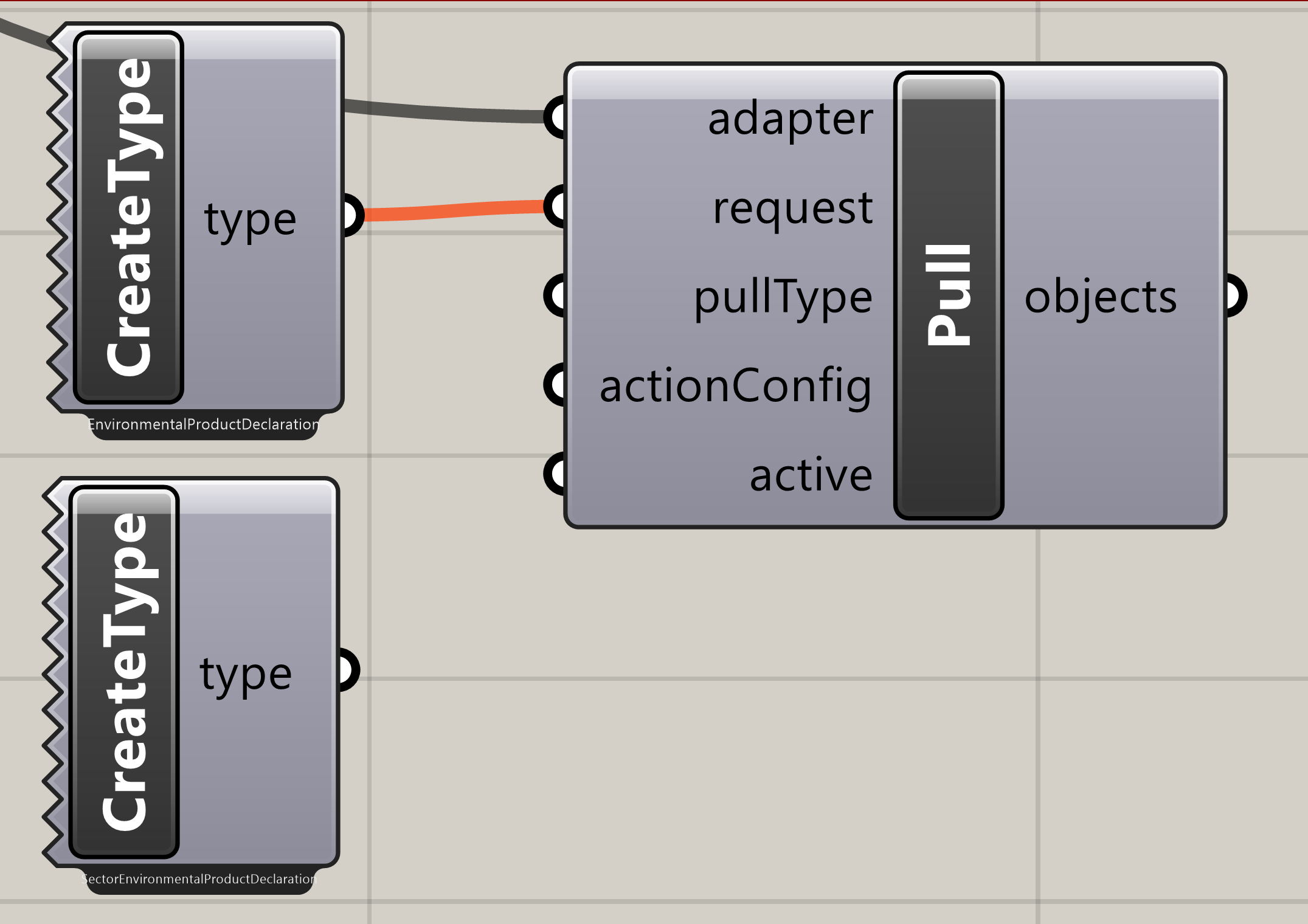
The requests supported for the CarbonQueryDatabase_Toolkit are quite simple; they are type requests for either the EnvironmentalProductDeclaration type or the SectorEnvironmentalDeclaration type. These correspond with the Product EPD and Industry EPD sections shown in the EC3 tool, and determine whether you will be pulling Environmental Product Declarations for specific products or for an average of a collection of products gathered by an industry organization (ie AISC). The two requests examples are shown below.
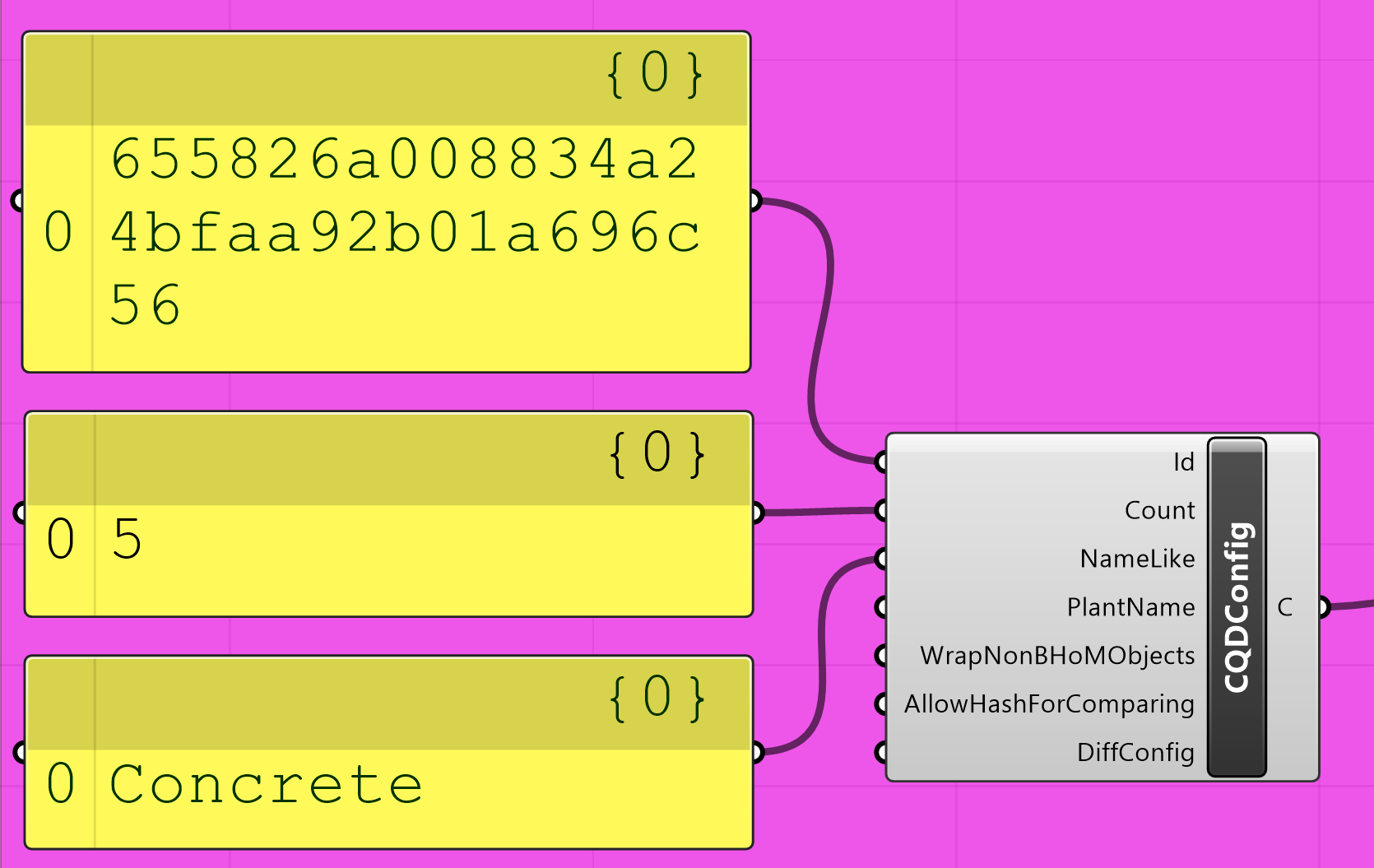
A Pull ActionConfig is represented by CQDConfig and allows the user to specify additional search parameters to use when searching the Carbon Query Database as follows:
-
Id- The Id of the EPD on EC3 (this is equivalent to the portion of the url after the last "/" when viewing the EPD on EC3). Note that this supersedes all below inputs, returning either the exact EPD matching the specified Id or no result if the Id is not found. -
Count- The maximum amount of results to return (default 100 if not specified) -
NameLike- The EPD name to search for on Carbon Query Database. This will return all EPD's that contain the specified string as part of their name. -
PlantName- This allows the user to narrow results down to a specific plant name, corresponding to the plant name value seen on EC3 when looking at an EPD.
An example CQD Config is shown below. As mentioned above, this CQD Config would only search for the specified Id. Removing the Id input would then search for EPD's containing "Concrete" in their name, returning the first 5 found.
The pull component extracts the information from the database based on your request, and translates it to BHoM objects. An example pull is shown below for SectorEnvironmentalProductDeclarations. As no ActionConfig is specified, the Pull uses Carbon Query Database's default values, which means returning the first 100 Industry EPD's stored in the Carbon Query Database regardless of their name or other properties. The image below shows the Pull Component in action, pulling EPD's per type (EnvironmentalProductDeclaration) with a CQDCOnfig specifying a search for the first 5 EPD's found with "Concrete" in the name.